Headless CMS
A headless CMS separates backend from frontend. How that affects your SEO, which site generators work, and what to watch for in a migration.
A traditional CMS is popular for good reasons, and it also sets limits. Design and functionality sit welded together, and that coupling becomes a bottleneck the moment your content has to reach more surfaces than the website. This is where a headless CMS comes in. The interesting question is not how modern the architecture is, but what it does for your visibility.
What a headless CMS is
A headless CMS is a content management system that separates the backend from the frontend. The backend works as an API that can deliver the content to several different frontend applications: the website, but also apps, newsletters and other services.
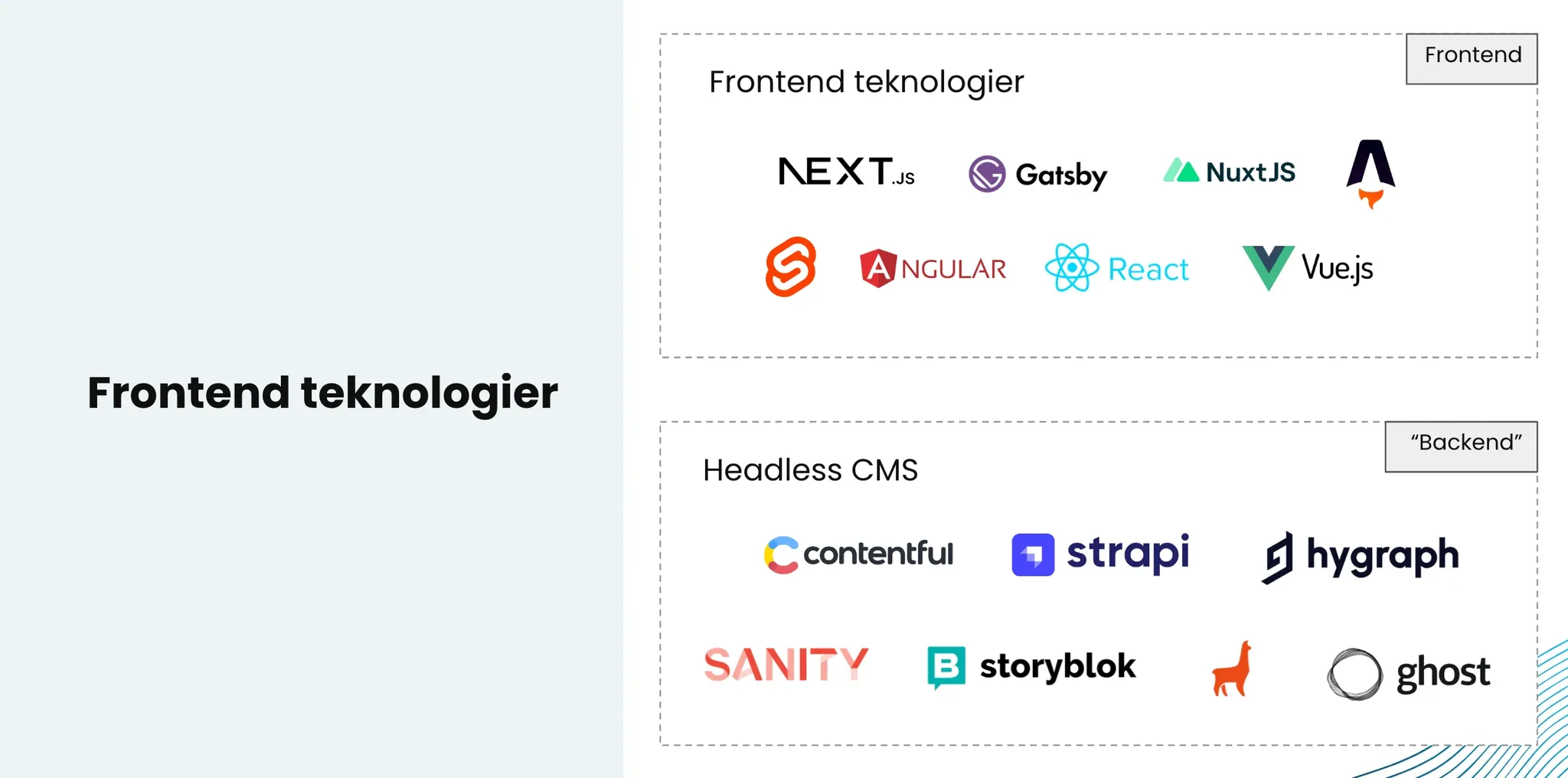
On its own, a headless CMS is not much use for showing content to a visitor. For that you need a frontend built with a site generator that pulls data from the CMS and renders it in the browser. The frontend layer is also where the visual expression gets made, not in the CMS, which here only has the job of storing content. Common site generators are Next.js, Nuxt and Astro.
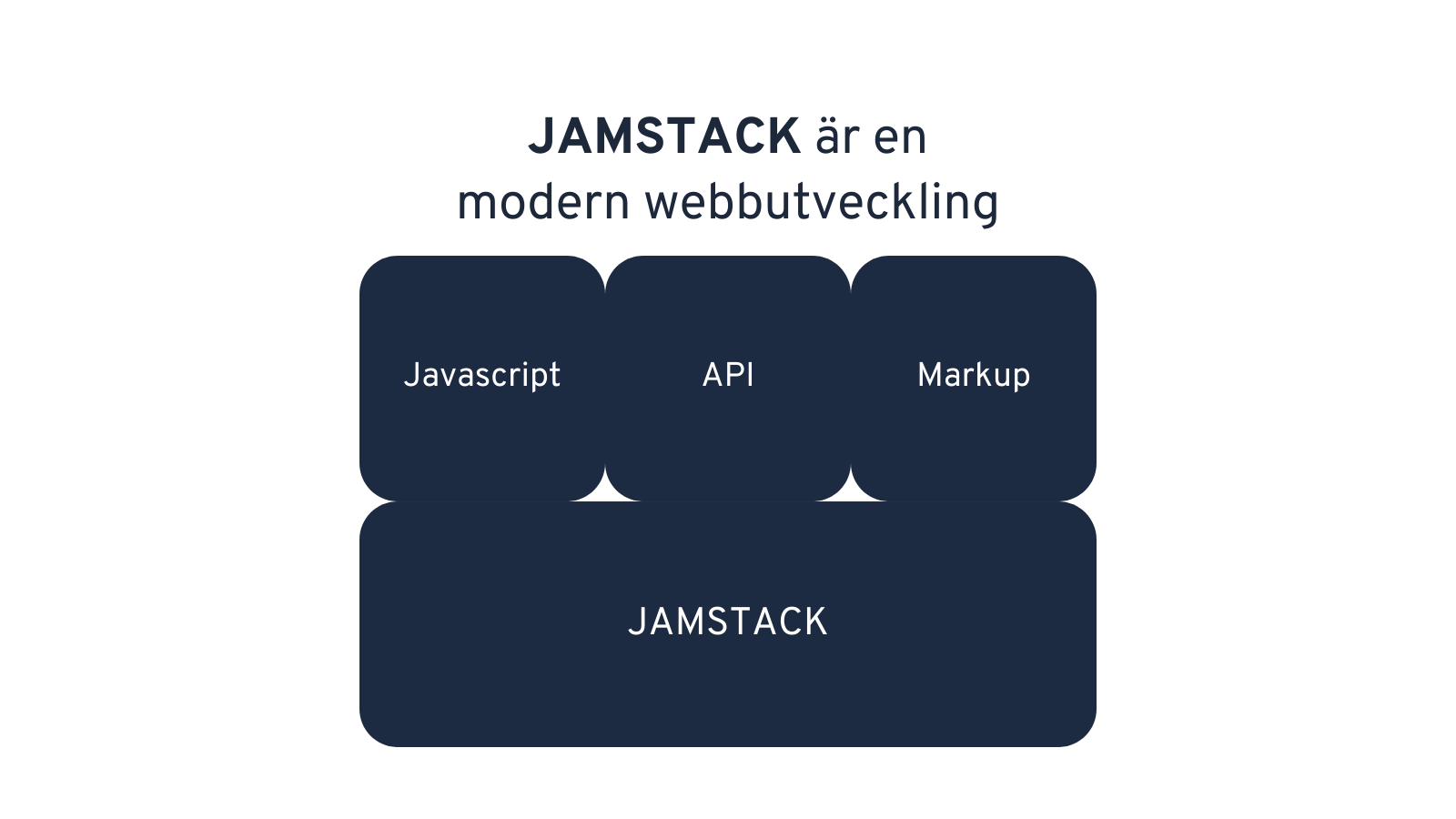
The architecture often goes by the name JAMstack, after JavaScript, API and Markup: a frontend that fetches its content through an API.
The difference from a traditional CMS
In a traditional CMS the backend and frontend are integrated and operate as one unit. The design and the functionality are bound to each other, which limits how far you can adapt to different devices and platforms.
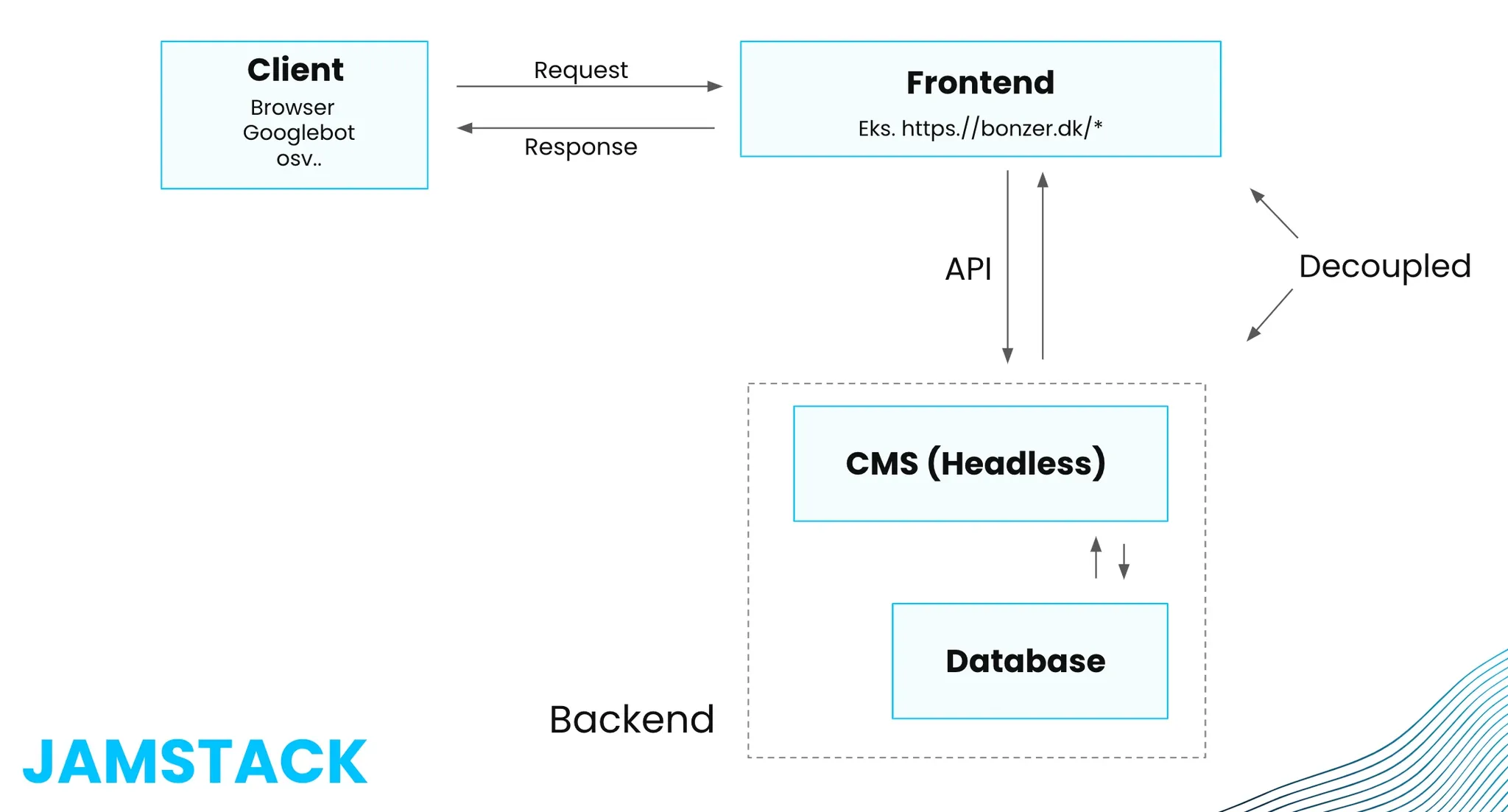
With a headless CMS the backend becomes one central place for the content, which can then be sent onward by API to several frontends without anyone touching the backend. That gives three practical advantages:
- Scalability. The frontend can be optimized for specific devices and platforms, which yields better performance under large volumes of data and traffic.
- Flexibility. You can swap or add frontend technology without moving the content, and integrate whichever development tools suit you.
- A better experience internally too. Editors, marketers and developers work in the same content model with different tools, and the path from idea to published page gets shorter.
Then there is the operational side. A headless CMS is normally hosted in the cloud and priced by API usage, unlike a traditional CMS such as WordPress where you host and maintain it yourself.
Which CMS is best for SEO?
The most important thing to understand from an SEO point of view is that the choice of headless CMS matters less than the choice of frontend technology. Google cannot see which headless CMS sits behind a page. It reads only what is on the page and how the frontend has set it up.
Common headless systems that work well for SEO-friendly sites include Storyblok, Sanity, Contentful, Strapi and Prismic. What separates them is the editorial experience and the content modeling, not visibility.
We normally split SEO into three parts: content, technical SEO and link building. Roughly speaking, a headless CMS looks after the content while the site generator looks after the technical side. That is why the frontend decision is the one that counts.
And here sits the most important update since headless broke through. What decides the outcome is the rendering strategy, not whether you picked React or Vue. A page rendered entirely in the visitor's browser requires the robot to execute JavaScript before it sees any content at all. Googlebot does, with a delay. Several AI crawlers do not do it at all, and take only the HTML the server hands them. If that HTML is empty you are invisible in the AI answers however good the content is.
The conclusion is short: render on the server. Server-side rendering or static generation gives the robot and the visitor finished HTML in the first response. The full trade-off between the rendering methods is covered in JavaScript SEO and rendering.
Headless and Core Web Vitals
A fast page is a precondition for both ranking and conversion. With a headless CMS and a site generator set up properly, good Core Web Vitals results come relatively easily, because you control exactly what gets sent to the browser. LCP benefits from statically generated pages and images delivered in the right format, and INP benefits from shipping only the JavaScript that actually runs.
The same architecture makes it easier to build more interactive content, which lifts time on page and engagement. The advantage is real and it is not automatic. A badly built headless frontend can be slower than a well-built WordPress site, and we see both versions.
Facing a migration?
Moving to headless is a site migration, and that is where the risk sits. The URL structure, the redirects, the metadata, the structured data and the internal linking all have to come across, and losing any of it means losing visibility that took years to build. We get into projects like this early, before the new frontend is built, because it is cheaper to solve in planning than after the fact. That work sits in web development and site migration.
To find out where your current setup stands, technically and in terms of content, it starts with a free SEO analysis.